
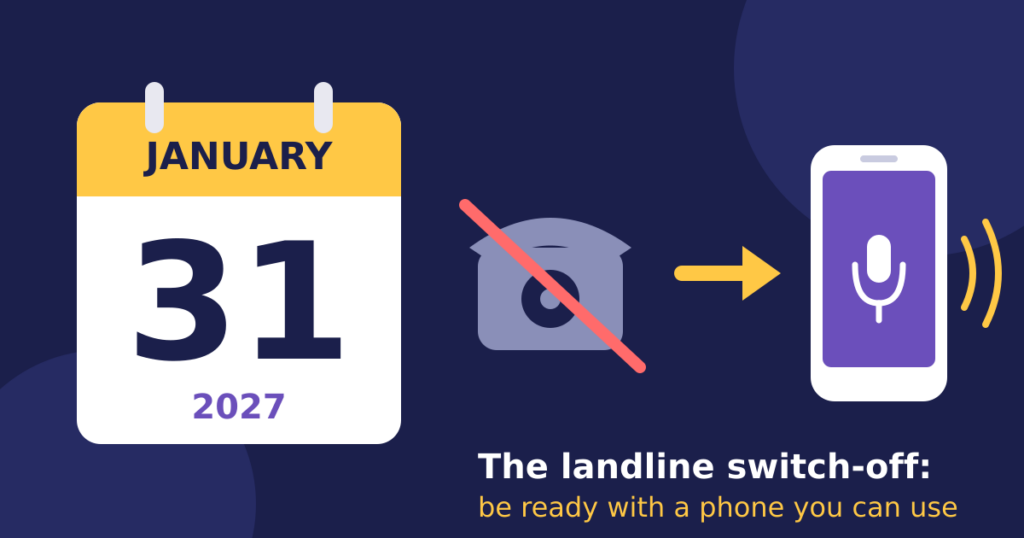
On 31 January 2027, the UK’s old copper telephone network will be switched off for good. If you have sight loss, the landline switch off is worth preparing for now, because Openreach, which runs the network, has said the date will not move again.
Most people have already switched without any trouble. But if you’re blind or partially sighted, or you support someone who is, the change can be harder than it should be. The letters about it aren’t always accessible. The new equipment often comes with lights and buttons you can’t see. And for many people, the landline is the one phone they feel confident using.
This guide explains what’s changing, who it affects most, and five practical things you can do before January. If you’re also thinking about a new phone, our guide to mobile phones for blind and partially sighted people is a good place to start.
What is the landline switch off?
Until now, most home phones have worked over copper wires. The new service, often called Digital Voice, sends your calls over your broadband connection instead.
For most people, the phone looks and works the same. You plug your handset into your router rather than the wall socket, and your number stays the same.
The big difference is power. An old copper landline usually keeps working in a power cut. A digital landline needs your router to be on, so if the power goes, or your broadband drops, so can your phone.
Landline switch off and sight loss: who needs to act?
You should act now if any of these apply to you, or to someone you care for:
- You use a telecare alarm or pendant that connects through your landline.
- The landline is your only phone, or the only one you can use confidently.
- You can’t read the letters your phone company sends about the switch.
- You live alone and rely on the phone to call for help.
People with sight loss are more likely to fall into several of these groups at once, which is why the landline switch off needs extra planning.
Five things to do before 31 January
1. Tell your phone provider you have sight loss
Call your provider and ask to be registered as a vulnerable customer, or as having additional needs. This should mean they contact you before your line is switched, give you more support, and don’t switch you without checking your setup first.
2. Ask for information in a format you can use
You’re entitled to ask for letters and instructions in large print, audio, braille or by email. If you’ve received letters about the switch you couldn’t read, ask the provider to tell you what they said.
3. Check your telecare alarm
If you have a personal alarm, contact your telecare provider, often your local council, and tell them about the switch. Ask them to test your alarm once you’ve moved over. Don’t assume it will keep working.
4. Ask about a backup for power cuts
If you depend on your landline, ask your provider what they offer so you can still call emergency services in a power cut, such as a battery backup unit. Ofcom expects providers to protect customers who rely on their landline, so ask what’s available for you.
5. Make sure you have a phone you can use on your own
This is the step people most often miss. A mobile phone keeps working in a power cut, as long as it’s charged, and it goes with you if you have a fall in the garden or need help on the way to the shops.
The question is whether it’s a phone you can actually use without help.
Replacing your landline with sight loss: options compared
| Option | Good for | Things to know |
|---|---|---|
| Stay on a digital landline | People happy with their current handset | Needs the router powered on. Ask about battery backup. |
| A big-button mobile | People with some useful vision who like physical keys | Still needs you to find buttons and read a screen or menus. |
| A smartphone with VoiceOver or TalkBack | Confident tech users | Powerful, but takes time to learn the gestures and settings. |
| A voice-operated phone, such as RealSAM Phone | People who want to make calls just by speaking | Designed for blind and partially sighted people. No screen to read and no gestures to learn. |
Where RealSAM fits
RealSAM Phone was designed for exactly this situation. You tap the screen anywhere and say who you want to call, such as “Call my daughter.” It keeps you in touch with family, friends and support networks, without menus, small buttons or a screen to read.
If you’d like a phone that does more, RealSAM Pocket adds audiobooks, newspapers, navigation and live help from sighted volunteers through Be My Eyes, all by voice.
You can try either for 30 days risk-free, with full customer support. And if you qualify, an RNIB Technology Grant may help with the cost. Read more in our guide to accessible phones through RNIB Technology Grants.
The bottom line
The landline switch off date is fixed, but you still have time. If you have sight loss, make one phone call this week to your provider to register your needs, then make sure you have a phone you can rely on, whatever happens to the power. For official updates, visit the Digital Phone Switchover website.
Want to talk it through? Call the RealSAM Support team on 0333 772 2708 or email helpline@realsam.co.uk. We’ll help you work out what’s right for you, even if that isn’t a RealSAM phone.